I am currently not available but feel free to get in touch ! contact me
Designing Workflows
I have designed or improved workflows in most of the projects I have been involved. Designing workflows requires a lot of preparation work in order to be able to deliver a well-designed process that offers clarity, reduced confusion, and streamlines processes. Here’s an overview of the process from a product designer perspective, including the expected deliverables for each step and important conditions that need to be addressed.
1. High Level Workflows Definition
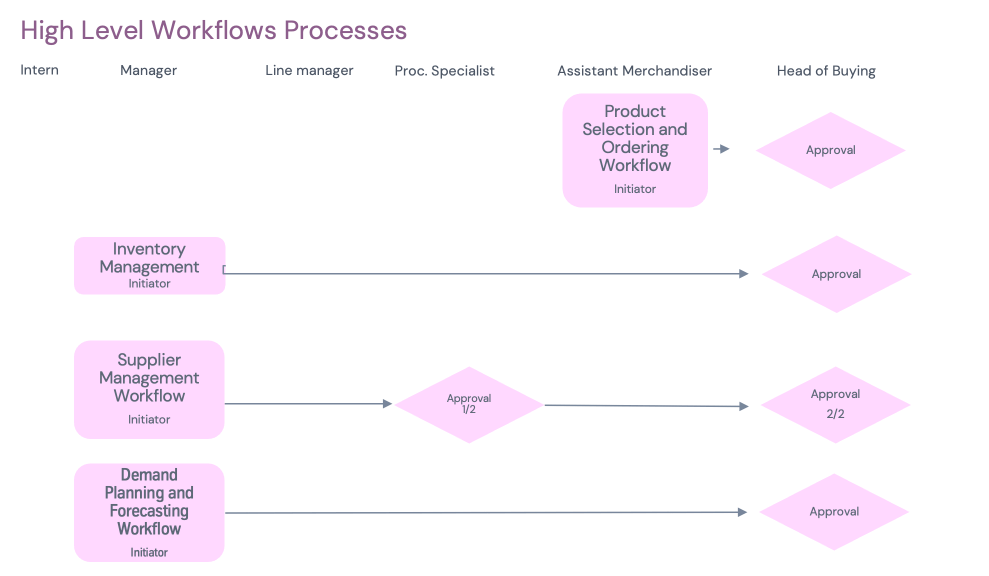
If the project includes various workflows it is always good to start by defining them and provide a high level representation. Understanding the different types of users and their goals is the foundation of workflow design. Each user role has specific tasks and objectives that need to be clearly defined, along with any conditions that may affect their interactions with the system (e.g., user permissions or access levels). It is also interesting to bring the question around delegation and escalations early in the process.
2. Define Workflow Scope and Specifications
In the process of narrowing down the scope of the workflow I find usefull to use a "Workflow Definition Matrix" listing the scope of the workflow and the UX implications.
Deliverable
- Workflow Definition Matrix ☝️
3. Design User Flows

Create detailed user flows that map out the step-by-step process each user follows within the workflow. Include key decision points and conditional triggers (such as “if approval is required” or “if task status changes”).
Deliverables
- Diagrams using Business Process Modeling Notation (BPMN)
4. UI Inventory
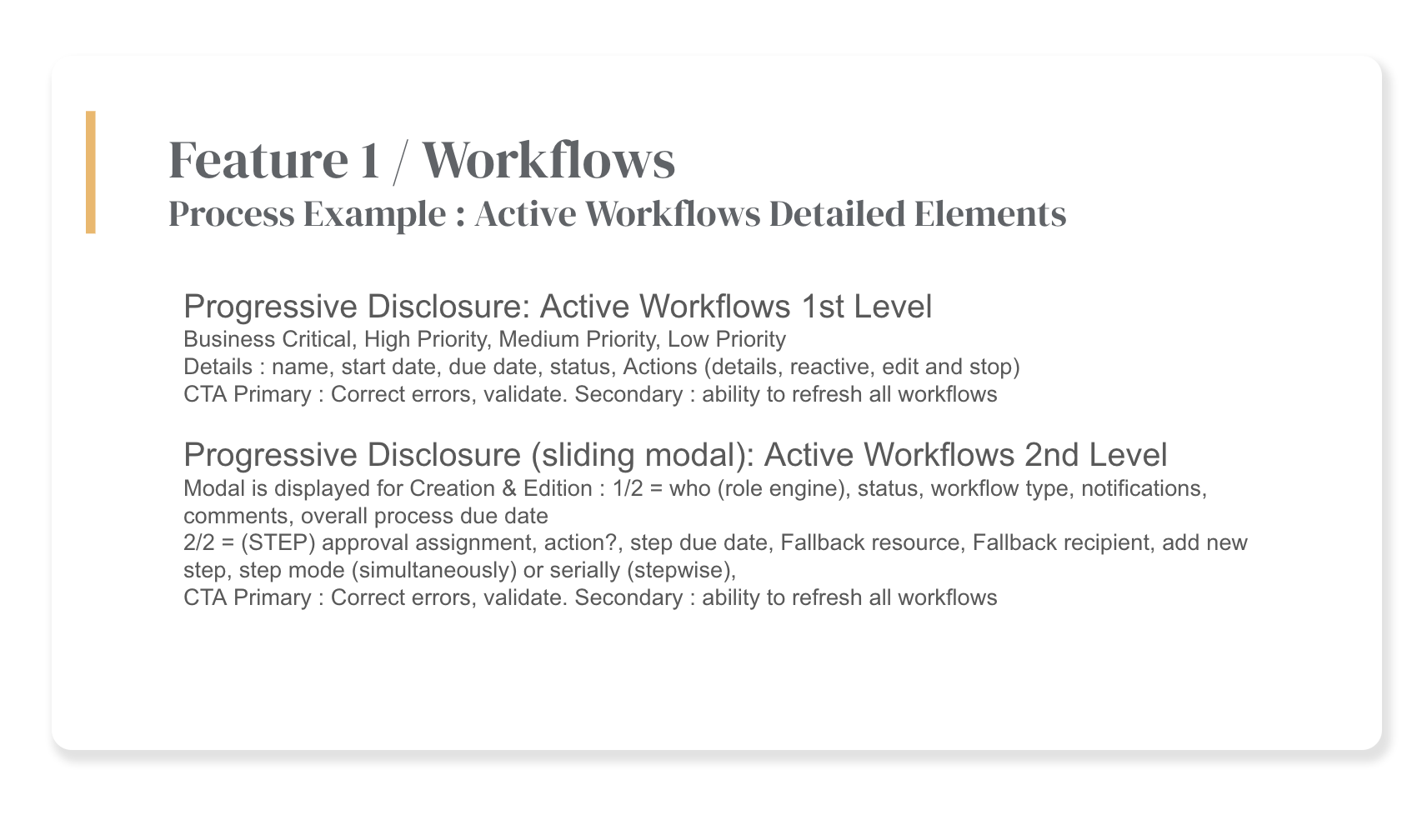
The content and interface inventory consists of breaking down all the elements that make up our Workflow page.
Deliverables
- UI Inventory
5. Wireframes
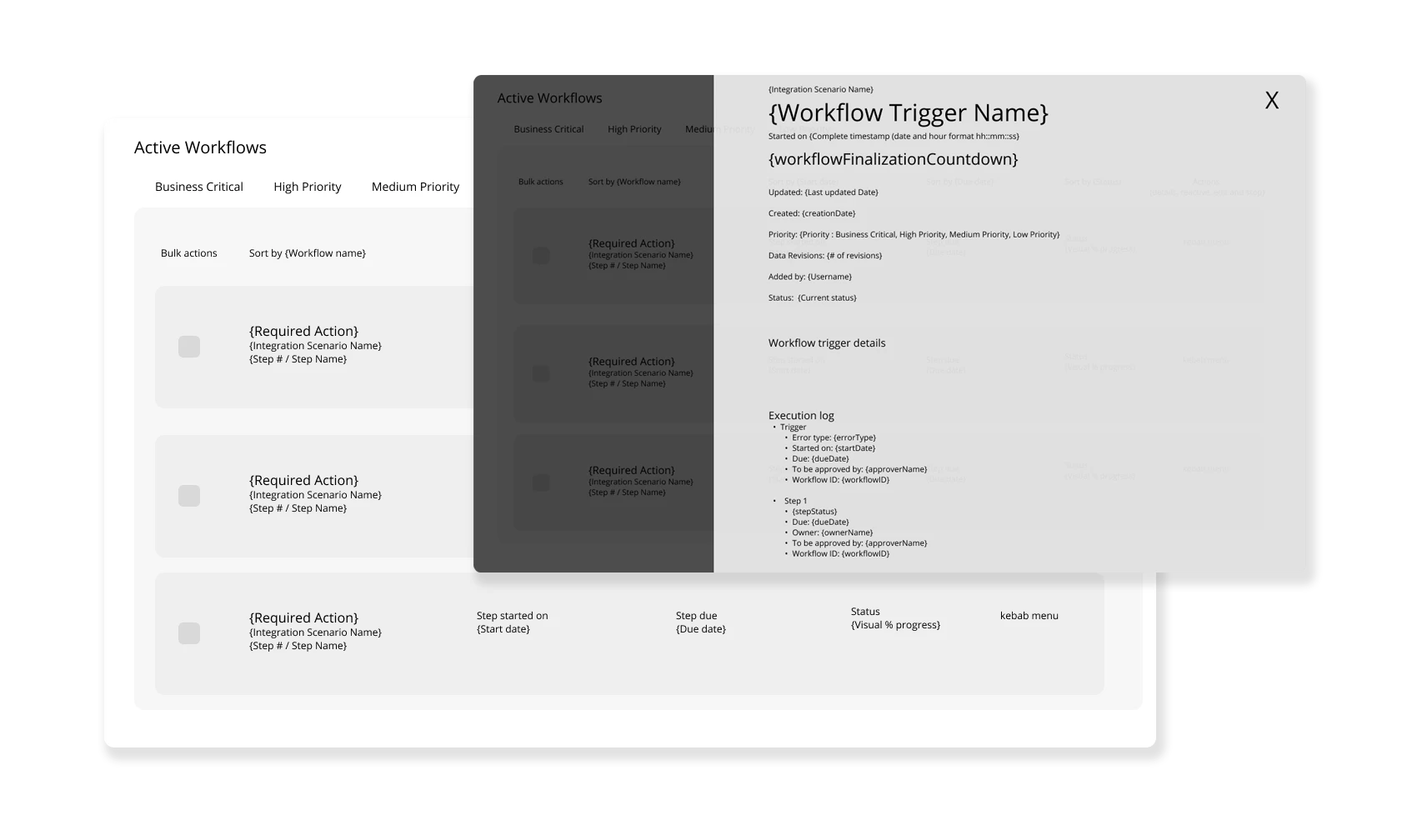
The content and interface inventory consists of breaking down all the elements that make up our Workflow page.
Deliverables
- Figma static wireframes
6. Create Wireflows
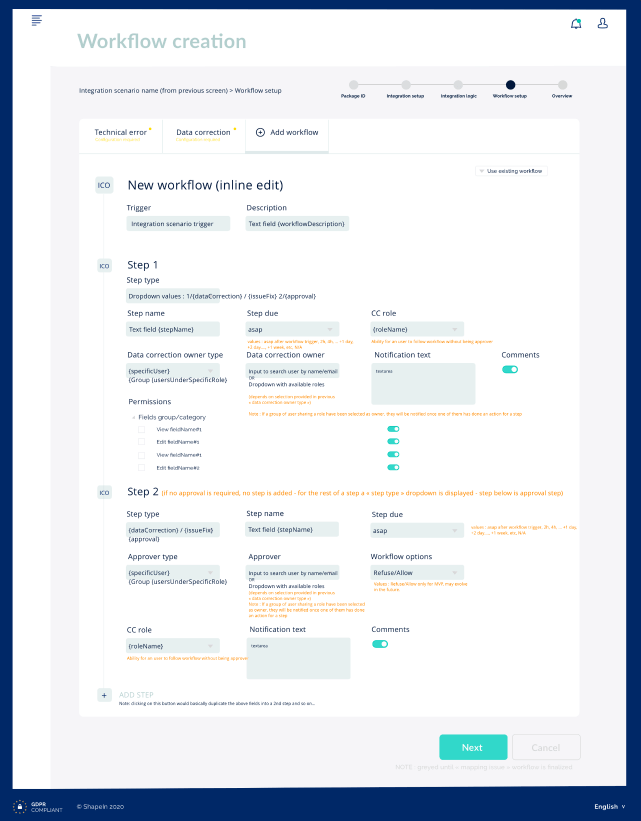
Design low-fidelity wireframes for key screens involved in the workflows. Include notifications details and roles. These wireframes will focus on structure, functionality, and how conditional elements (e.g., approval buttons, notification triggers) should appear and behave. Iterate.
Deliverables
- Low-fi Figma Prototype
7. Prototype Interactions
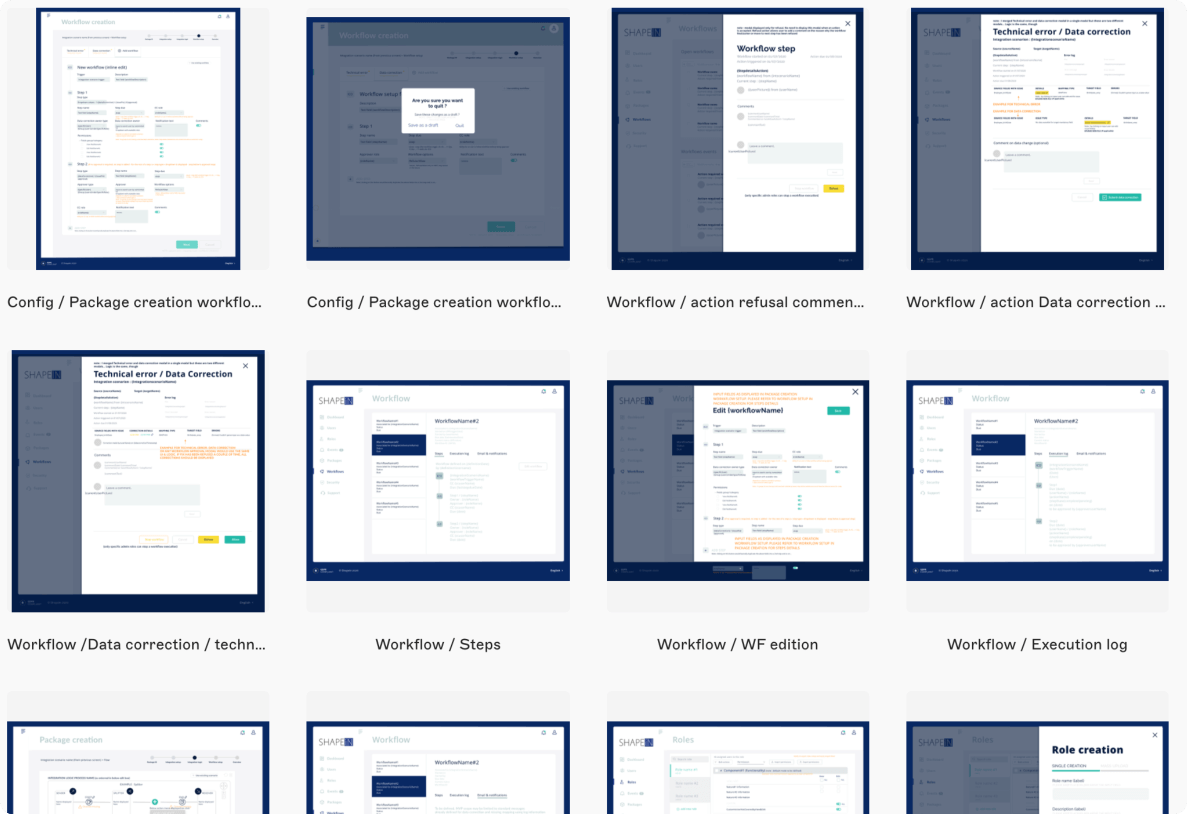
Build interactive prototypes to simulate the workflows. These should include all conditional interactions, such as approval requirements, task rejections, and system notifications that are triggered by specific user actions or system states. Iterate.
Deliverables
- Interactive Prototypes: Clickable prototypes demonstrating key interactions within the user workflows.
- Prototype Interaction Guide: Documentation explaining each interaction and user response within the prototype, including how conditions affect interactions (e.g., how a user approves or rejects tasks based on role).
8. Iteration Based on Feedback
Refine the workflows based on usability testing feedback. This ensures that each user role can accomplish their tasks efficiently and without friction, and that conditions like task status changes or notifications are easy to understand and navigate.
Deliverables
- Refined Workflow Designs: Updated user flows, wireframes, and prototypes based on user feedback and testing results.
- Iteration Notes: A document detailing the changes made in response to testing and feedback, including adjustments to conditional elements or interactions.
9. Document Workflows
Create comprehensive documentation that captures the final workflows, including user flows, conditions, interactions, and annotations. This documentation will serve as a reference for the development team to ensure the conditional logic is implemented correctly.
Deliverables
- Final Workflow Documentation: Detailed documentation including flow diagrams, screen annotations, and interaction details.
- Annotated Wireframes: Updated wireframes with annotations explaining key features and interactions.
- Interaction & Condition Guidelines: A document outlining how conditional interactions (e.g., notifications, approvals) should be implemented.
10. Conduct Usability Testing
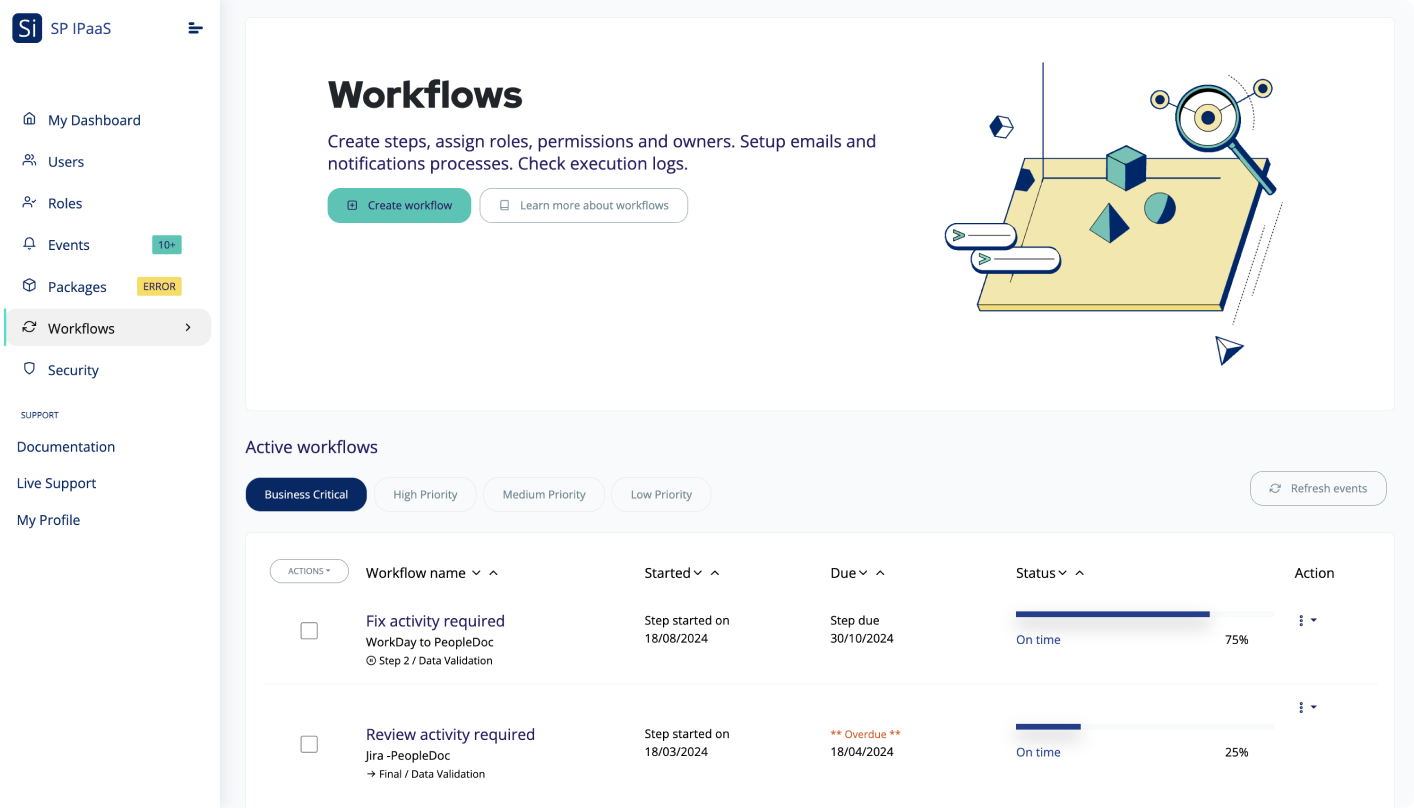
Test the workflows on high fidelity prototype with real users to gather feedback on how intuitive and efficient the processes are. Focus on testing how well users understand conditional elements, such as when approvals are needed or how to navigate tasks with different statuses. Then iterate again.
Deliverables
- Usability Testing Reports: Detailed reports on the results of the usability tests, including user feedback, pain points, and suggested improvements.
- Key Issues List: A prioritized list of issues or areas of confusion identified during testing sessions, especially around conditional workflows (e.g., misunderstandings about when notifications or approvals are needed).
11. Handoff to Development
I prepared a working React prototype to facilitate the design for handoff to development. This also includes all design documentation, interaction details, and conditional logic to ensure the workflows are implemented accurately.
Deliverables
- Design Specifications for Development: A comprehensive guide including design assets, workflows, and interaction details for developers.
- Handoff Checklist: A checklist ensuring all necessary deliverables (flow diagrams, wireframes, conditional interaction notes) are ready for development.
- Collaboration with Development: A plan for ongoing collaboration with developers during the build phase to address any questions or adjustments needed.
12. UI Workflow Showcase
Sharing here some final workflow design screens for inspiration!
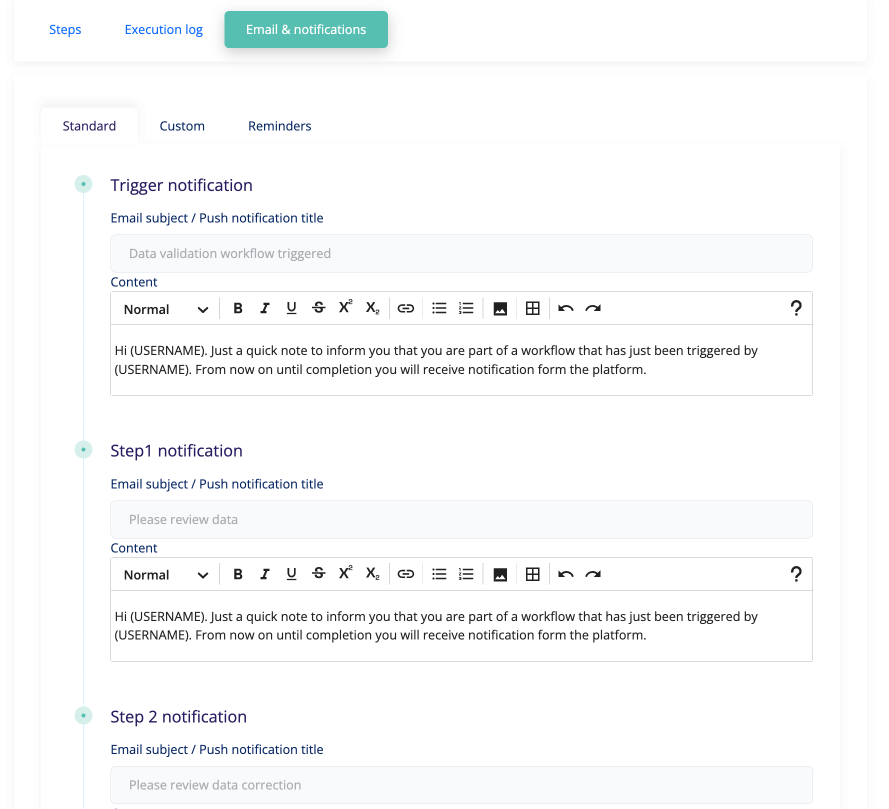 Quick note to save you time : a modal with 3 tabs (Steps, Execution log and notifications settings) was a winner!
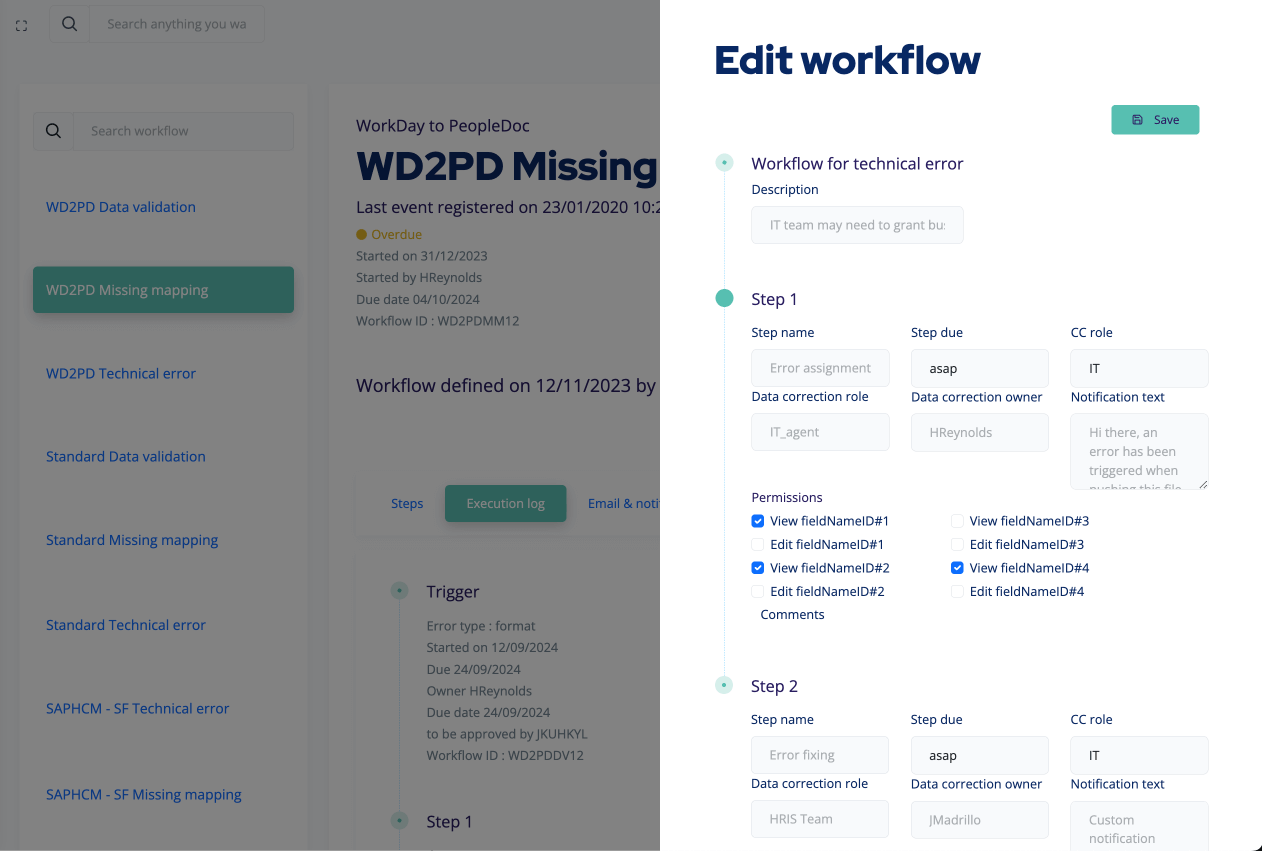 Workflow edition mode - Yes, I should have provided an expandable modal to provide more space #DesignRegrets #NextProductWillBenefitFromThisMistake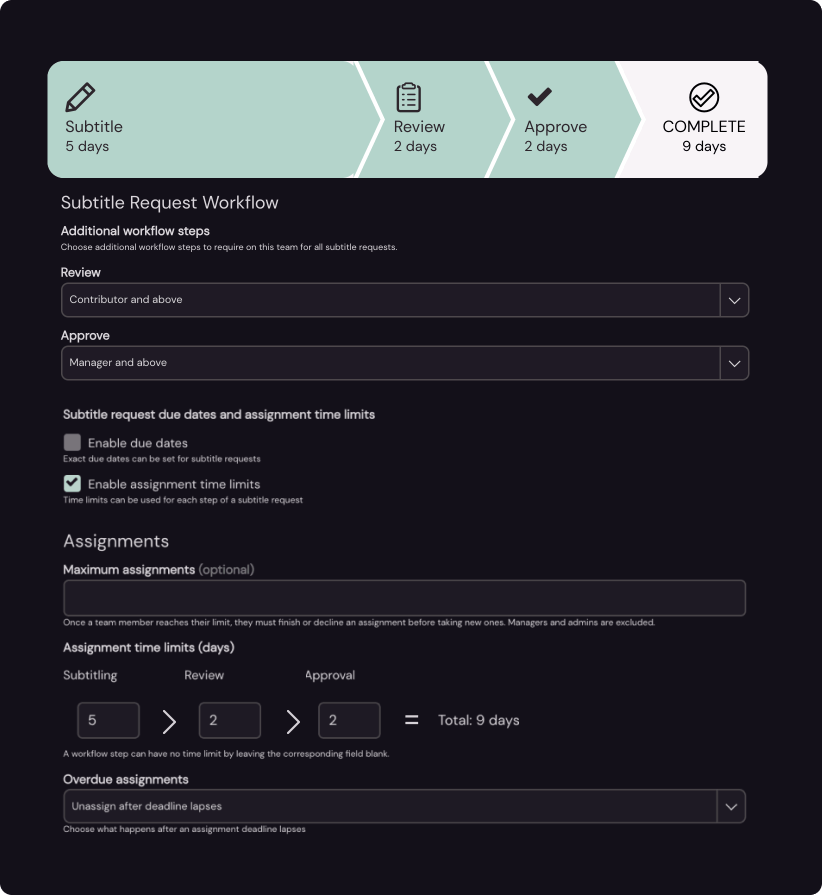
Since you are here
My goal is to help you create great and profitable products.
If you drop me a line about your work and the challenges you face I will reply with some suggestions (I always do).
You can also directly schedule a call.
Thank you for your interest.
I work from France and Spain. GMT Time zone UTC +0, London time.

