I am currently not available but feel free to get in touch ! contact me
Closing the gap between design and implementation
I remember a CTO stating that if a design isn’t coded, it isn’t product design yet. “Code talks and bullshit walks.” says Ai-for-UX thinker Greg Nudelman. While that sounds like blunt statements that dismiss the necessary early steps of the design process, I agree with the idea of getting closer to code as soon as possible. The greatest career gift I gave myself was learning how to code and integrate my designs as a teenager. I was not conscious of the impact it would have on my career.
What follows are notes from years of working alongside dev teams — things I wish someone had told me earlier, and things I keep seeing junior and senior designers alike get wrong. Not a definitive guide. A few honest observations.
Design Engineering: the missing layer
At some point the product design field drew a line: designers own the problem space, developers own the solution space. It seemed like a clean division of labour. What I have seen in practice is that this separation quietly removes designers from the decisions that matter most. By the time a proposal reaches implementation, the real product choices — what is feasible, what the timeline actually looks like, what needs to be cut — are made in conversations designers were not part of.
This is not an argument for learning to ship production code. It is about being technically literate enough to show up usefully in those conversations. Knowing how something is built changes what you propose. It changes how you respond when an engineer pushes back. It changes whether you are treated as someone with strategic input or someone who sends files for others to interpret.
The designers I have worked with who held the most influence were not always the strongest visually. They were the ones who could sit in a technical discussion, follow what was being debated, and contribute something useful — a constraint they had already designed around, a question about user impact no one else had raised, a simpler path that still solved the problem. That kind of contribution is not innate. It comes from investing time in understanding how things actually work.
The areas I have found most worth investing in as a product designer:
- Data models. How data is structured upstream shapes what the interface can do. When you understand that, you stop designing features that quietly require a database redesign to exist. You start asking the right questions earlier.
- APIs. Most product features involve data moving between systems. Having a basic mental model of how APIs work — requests, responses, failure states — helps you design interactions that account for the real behaviour of the product, not an idealised version of it.
- Performance. An interaction that feels fluid in a prototype can feel broken in a real product with real latency. Understanding where slowness typically comes from lets you make interaction decisions that hold up once the product ships.
- AI-generated output. Whether it is code or UI, AI tools produce plausible-looking results that are not always correct. Being able to evaluate the output — not just react to how it looks — is increasingly part of the job on both the design and development side.
- Design systems in code. When you understand how a design system maps to actual component implementations, your Figma work reflects real units rather than approximations. Handoff becomes faster and the back-and-forth shrinks considerably.
- Build versus buy decisions. Teams regularly decide whether to build something internally or integrate an existing solution. These discussions are mostly technical and business-driven. Having enough context to contribute to them — rather than waiting for the outcome — keeps design relevant to the product direction.
- Git and React basics. Playing around with both is something I recommend to every designer I work with. Not to replace engineers, but to understand how a codebase is organised and how teams collaborate on it. It changes how you think about components, states, and what a handoff actually requires on the other side.
You do not need a technical background to develop this literacy. Most of it comes from asking questions, reading documentation when something is unfamiliar, and occasionally building small things yourself to see how they break. The designers I have seen lose ground in technical organisations were rarely less talented. They had just stopped being curious about how the product was actually made.
Design does not end in Figma
Don't get me wrong. I love Figma. What I observed is that it is most of the time used as a design process end point when it actually has a lot to offer to bridge the design-to-development gap — not just via dev mode. Used as a starting point and single source of truth for design ops, it changes the conversation entirely. I already wrote a short case study about it: Design Ops Streamlining Multi-Platform Flight Booking.
Early and Continuous Collaboration with Dev Team
Involve Developers from the Start
- Include developers in initial design discussions
- Seek technical input on feasibility early in the process
- Schedule regular check-ins throughout the project
Set Aside Time for Walkthroughs
- Conduct design presentations to explain concepts and rationale
- Allow time for questions and discussions
- Schedule review sessions for ongoing feedback
Comprehensive Design Documentation
- Include technical considerations directly in your Figma file
- Developers often work from specs in the issue tracker rather than Figma. Contribute to JIRA, GitHub, or Zenhub tickets as much as you can — include user flows with logic and interactions, responsive behaviour, interactive element states, and edge cases
- Use micro-interaction tools to describe expected behaviour and share them with the team
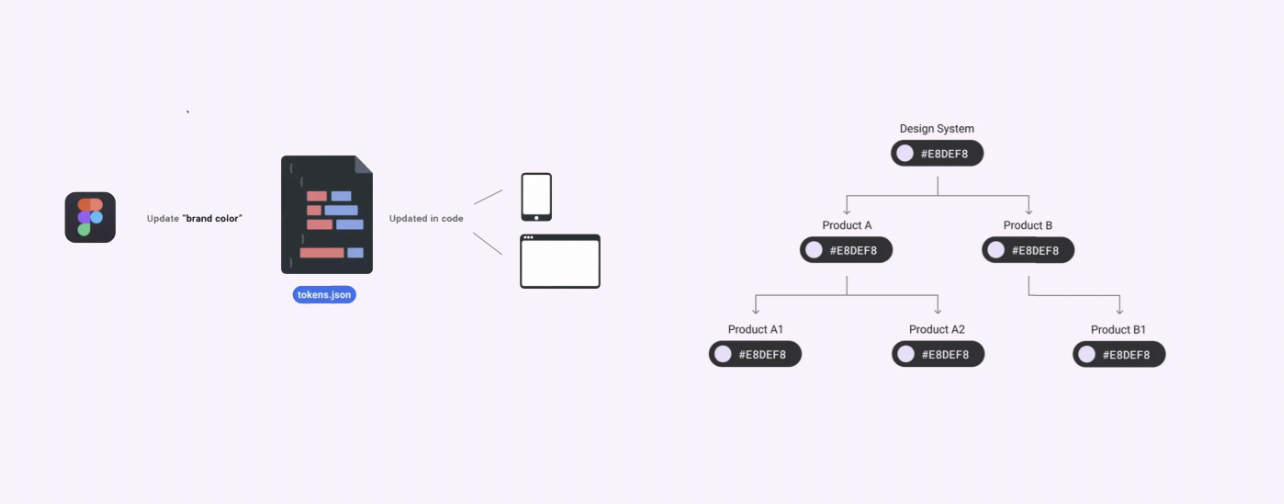
- Learn to connect Figma with front-end tools like Storybook or Style Dictionary to keep design and code in sync
- One of the most effective things I have done to communicate ideas to dev teams is prototyping directly in code — creating a branch or fork of the actual project and implementing the interaction there. It removes all ambiguity. There is nothing to interpret, no animation to describe, no edge case left to imagination. The dev sees exactly what you mean, in the real codebase, and the conversation shifts from "what did you intend?" to "how do we get this merged?"
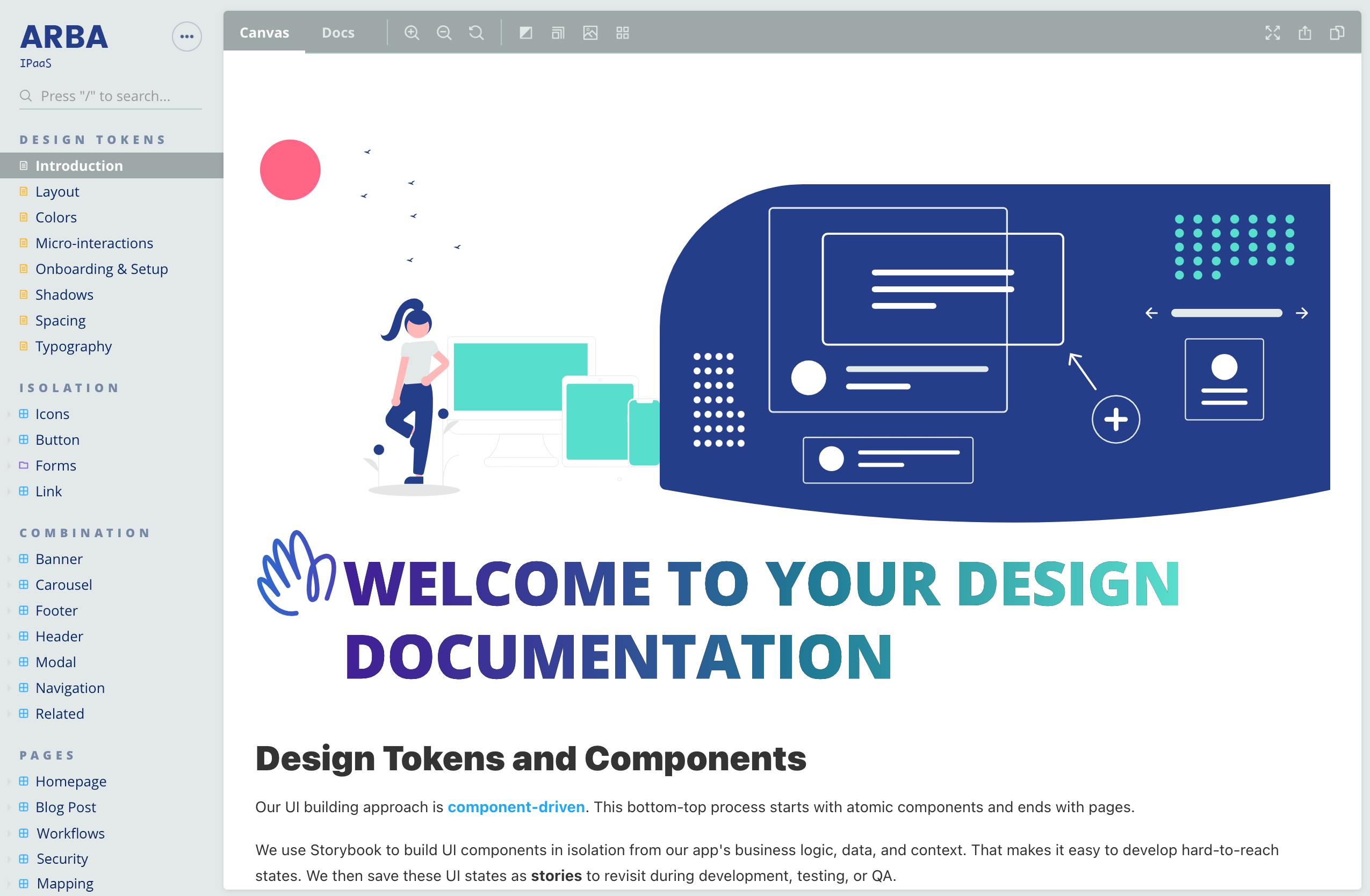
Development-oriented design system build with Storybook.
Micro-interactions created in Protopie and shared with dev team.
Designing with Development in Mind
Think in Components
- Design using a component-based approach
- Define clear boundaries and hierarchies for UI elements
- Get into Object Oriented UX
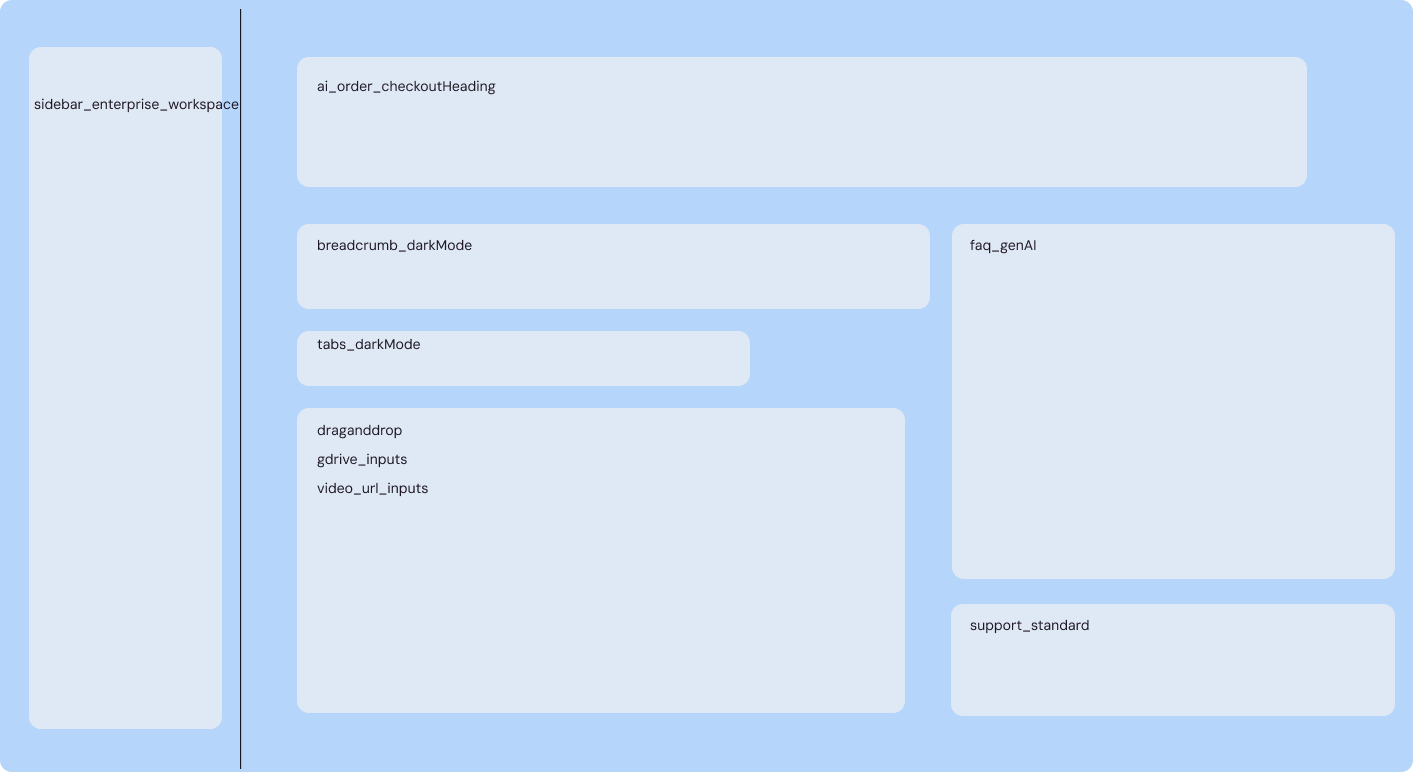
Enabling component-based design makes the dev handoff faster
Design for All Cases
- Include empty states, partial, loading, error, and ideal states for each screen
- Include triggers where applicable
- Include preconditions (roles, settings)
- Include dependencies
- Include requirements — consistency across devices, accessibility, languages, light/dark mode
- Consider edge cases in your design output
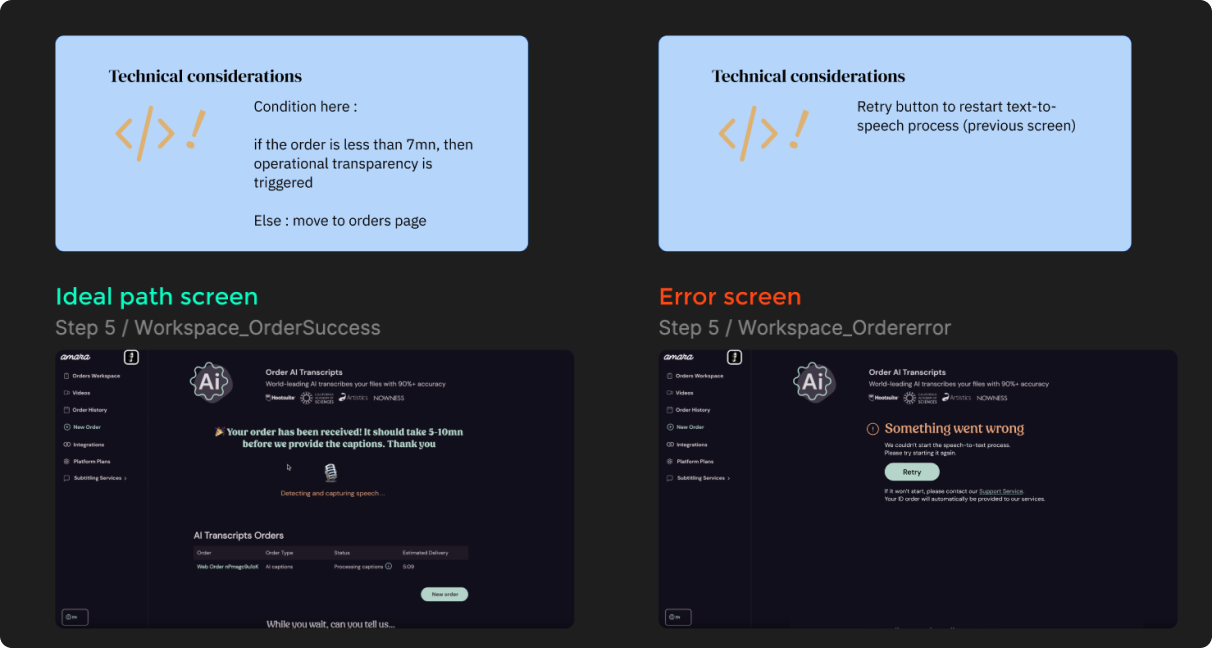
Using Figma to document and share states and expected behavior to dev team
Anticipate Localization
- Allow for text expansion in different languages
- Design flexible layouts to accommodate varying text lengths
All of this comes back to the same thing: the closer you work to how the product is actually built, the more your design work holds up. Fewer surprises in implementation, fewer decisions made without you, fewer features that come back from development looking nothing like what you intended. Good collaboration with dev teams is not a soft skill — it is a craft in itself, and it improves with the same deliberate practice as anything else in design. The investment is worth it every time.
Since you are here
My goal is to help you create great and profitable products.
If you drop me a line about your work and the challenges you face I will reply with some suggestions (I always do).
You can also directly schedule a call.
Thank you for your interest.
I work from France and Spain. GMT Time zone UTC +0, London time.

